Disputes
The Disputes submenu is the list page of the disputes you have. You can manage your disputes directly from this page.
Disputes Table
The disputes table collects all of your disputes and displays them based on the date they were created and/or updated. It has pagination so that you can decide the number of transactions to display on a page.
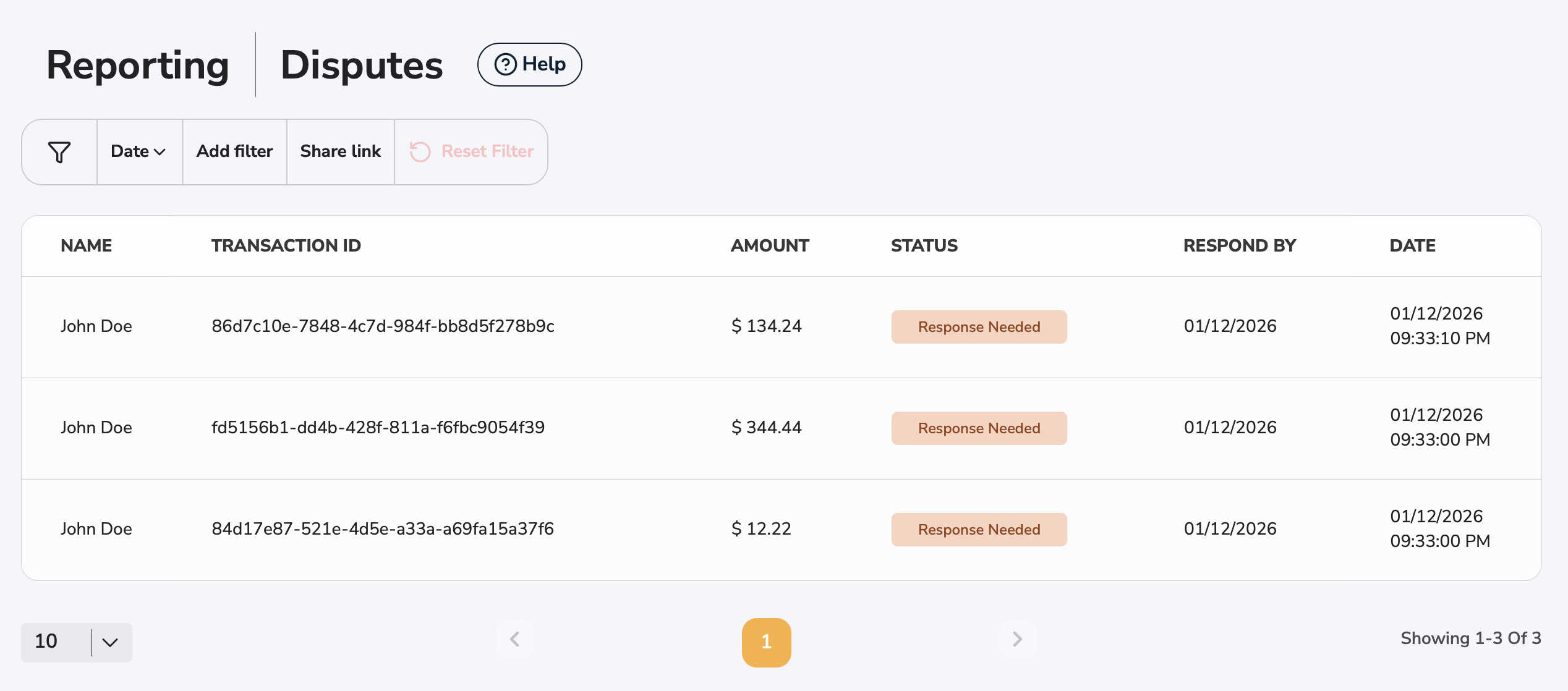
Name
First and Last Name of the entity whom the dispute belongs to.
Transaction ID
The Transaction ID associated with the given dispute.
Amount
Amount of the dispute.
Status
Status of the transaction. List of possible statuses: Response needed, Resolved, Under review, Closed, Accepted, Expired, Won, Lost.
Respond by
Date by which you have to respond to the dispute. Respond times vary with card brands.
- Visa: 14 calendar days
- Mastercard: 14 calendar days
- Discover: 14 calendar days
- American Express: 10 calendar days
Date
Initiated date of the dispute. Further date details about the transaction can be found on the transaction details page.
Accepting a Dispute
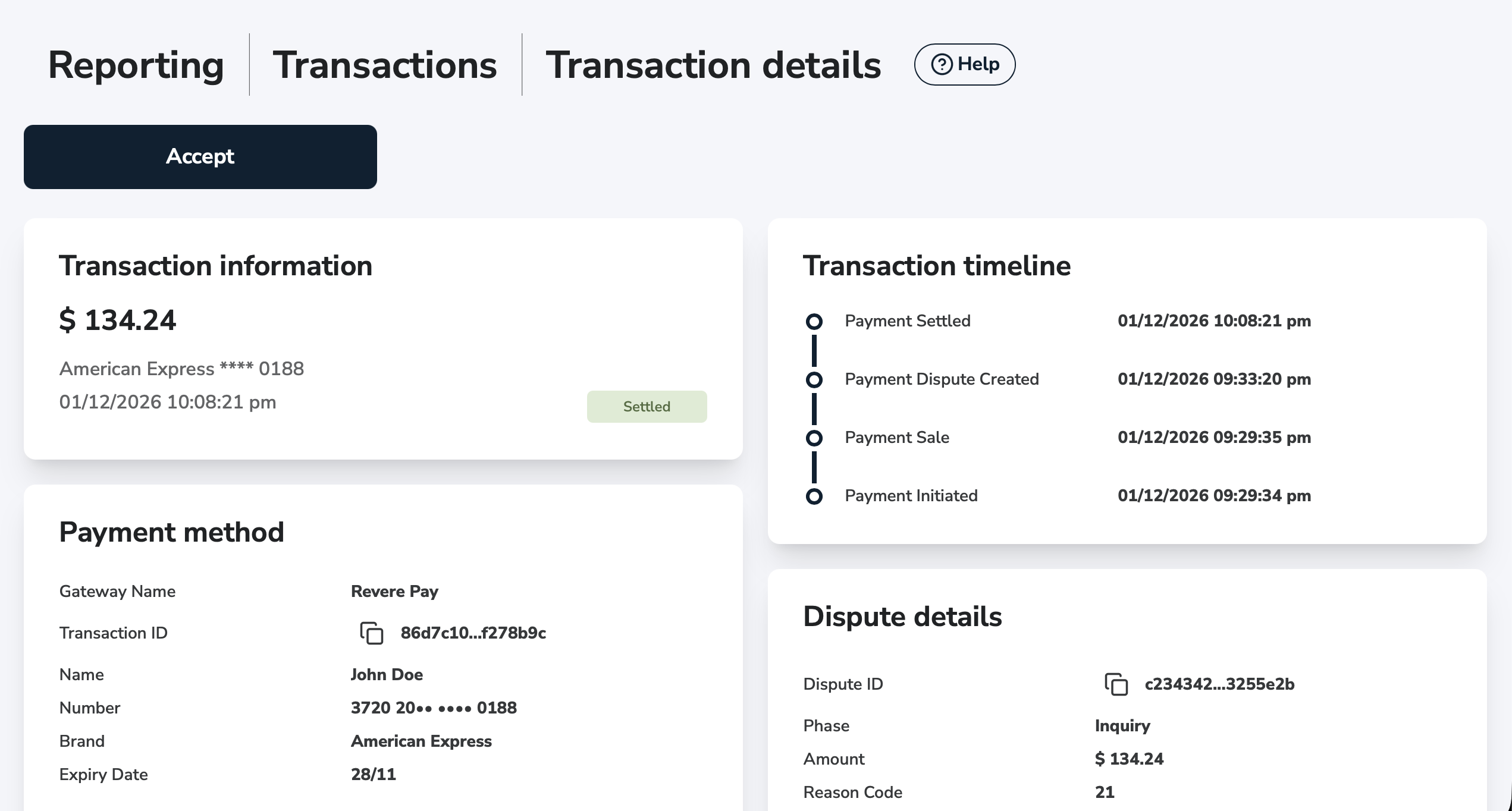
You can easily Accept the dispute from the Transaction details page. To Accept a dispute, click the Accept button and follow the reversal or refund procedure.
Challenging a Dispute
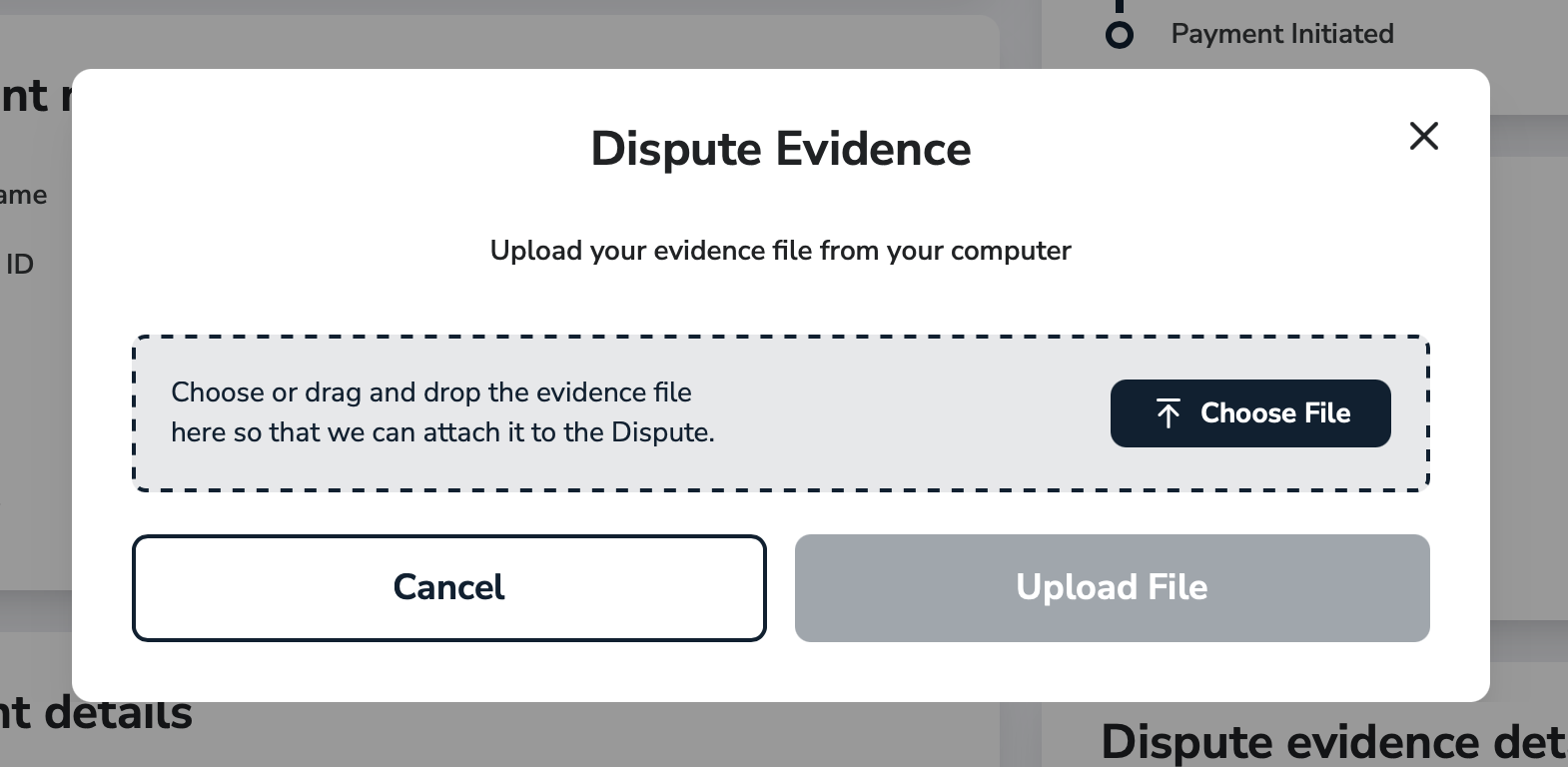
You can Challenge a dispute from the Transaction details page. To challenge a dispute, upload your Evidence by clicking on the Upload Evidence button on the Transaction details page.
Uploading evidence
You can upload, view, manage and submit dispute evidence from the Transaction details page. If you want to challenge the dispute, you have to upload and submit your evidence.
Accepted file format: PDF.
Dispute decision
Once you've submitted your evidence(s) and a decision has been made, you will see the status changes of your Dispute on the list page or the Transaction details page.