Batch upload transactions
Upload a CSV file to batch process wallet to wallet transactions without having to use our endpoints.
info
Please be aware that this feature requires a Batch Upload Manager permission.
Uploading a CSV file
Step 1
Go to Wallet and click on the
Batch Uploadicon.Step 2
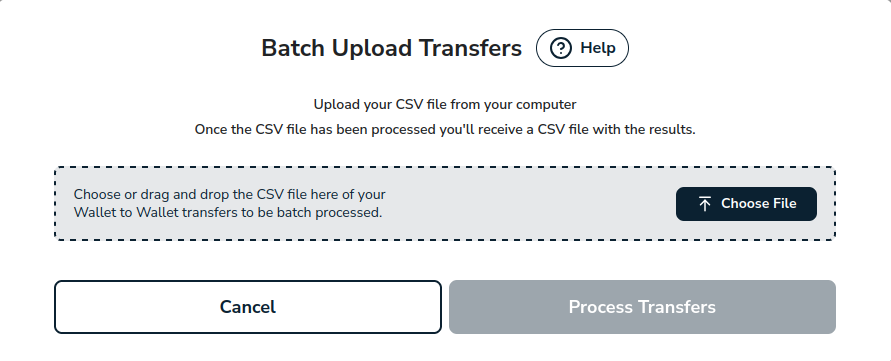
A modal will be displayed. Upload your CSV file from your computer.
Step 3
Confirm you have uploaded the right file by checking the file name in the modal.
Step 4
Click on
Process Transfersbutton.Step 5
Open the CSV file to see the result of your wallet to wallet transactions.
warning
Please be aware that once we start processing a CSV file, it cannot be undone.